![[Blender ver] 2024 #58](https://img5.musarai.com/storage/8/xy/dy/3a4a12-019e90e4-7df4-7cc1-bbcb-8246608ac33e.png)
![[Blender ver] 2024 #58](https://img5.musarai.com/storage/7/nz/op/3a4a12-019e90e4-7df5-7223-a886-81211e45b4f7.png)
![[Blender ver] 2024 #58](https://img5.musarai.com/storage/12/kj/ug/3a4a12-019e90e4-7df5-7a2c-b76b-02a8bb62d0c4.png)
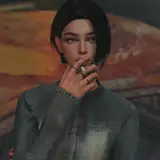
※ Not for SIMS4 ingame.
→ Download on This Post (🤍Soulheart OLNY)
With💗
※ It is convenient to separate layered clothing and edit it in sculpt mode. (You can also delete the turtleneck and shirt and use just the coat.)
How to separate: Place the mouse cursor over the desired part and press the shortcut key L. -> Shortcut key P -> Selection. Once selected, the selected part will be separated.
※ 레이어드된 의상은 분리한 후 스컬프트 모드에서 수정하면 편합니다. (목티와 셔츠를 삭제하고 코트만 단독으로 사용하셔도 됩니다.)
분리 방법 : 원하는 부분에 마우스 커서를 대고 단축키 L을 누릅니다. -> 단축키 P -> Selection를 누르면 해당 부분이 분리 됩니다.
· Made, Blender 3.6.1 (Preview - Cycles)
If your Blender version is low, the colors may come out incorrectly. If you need help, please message me.
· Rigged for SIMS4 (※ Bags unrigged)
· 4K Texture, Color customization available
· When rendering, you may delete, modify, or color-adjust portions of the clothing for your personal use only. In other cases, please do not edit my meshes and textures. (Must be based on T.O.U)
· This 3D work cannot be used for commercial purposes.
How to use & change color (Eng Sub)
All Blender ver Download Here.
Thank you for your support.❤
T.O.U / WebSite / Tumblr / Instagram